Table of Contents >> Show >> Hide
- What is the 20-20-20 rule?
- Why do screens cause eye strain?
- Common symptoms of digital eye strain
- How to use the 20-20-20 rule correctly
- Other ways to prevent eye strain
- Keep your screen at a comfortable distance
- Place the screen slightly below eye level
- Cut glare like it owes you money
- Adjust brightness, text size, and contrast
- Remember to blink
- Use artificial tears if dryness is part of the problem
- Take contact lens discomfort seriously
- Check your prescription
- Pay attention to the room, not just the screen
- Take longer breaks too
- Do blue light glasses help?
- When the 20-20-20 rule isn’t enough
- Simple daily routine to prevent eye strain
- Conclusion
- Real-world experiences with the 20-20-20 rule
If your eyes feel like they’ve worked a double shift by 3 p.m., welcome to the screen age. Between laptops, phones, tablets, TVs, and the occasional “I’ll just answer one more email” lie, many of us spend hours locked into close-up focus. The result? Tired eyes, blurry vision, headaches, dryness, and that dramatic urge to rub your face like a Victorian novelist with too many problems.
That’s where the 20-20-20 rule comes in. It’s simple, free, and refreshingly low-tech: every 20 minutes, look at something 20 feet away for 20 seconds. No subscription. No battery. No wellness guru whispering in your ear. Just a quick reset for your overworked eyes.
But here’s the catch: the rule helps, yet it works best when paired with smarter screen habits. In this guide, you’ll learn how the 20-20-20 rule works, why screens strain your eyes in the first place, and what else you can do to prevent digital eye strain before your eyeballs file a formal complaint.
What is the 20-20-20 rule?
The 20-20-20 rule is an eye comfort habit designed to reduce strain from prolonged close-up work. The idea is straightforward: every 20 minutes, look at something about 20 feet away for at least 20 seconds. That short pause gives your eye muscles a break from constant near focusing.
Think of it as interval training, but for your vision. When you stare at a screen, your eyes stay fixed at one distance for a long time. That doesn’t usually damage your eyes, but it can absolutely make them feel cranky. A brief distance break helps your focusing system relax and can reduce that tight, tired, “my eyeballs are made of toast” feeling.
The 20-20-20 rule is especially useful for people who spend hours on computers, tablets, phones, e-readers, or any task that keeps vision glued up close, including reading, studying, sewing, gaming, and detailed design work.
Why do screens cause eye strain?
Eye strain sounds dramatic, but the causes are surprisingly ordinary. In many cases, it’s not one giant problem. It’s a messy little group project involving focus, dryness, posture, lighting, and screen setup.
1. Your eyes stay locked in close focus
When you look at something nearby, the focusing system inside your eyes stays engaged. Do that for hours without regular breaks, and your eyes can feel fatigued. It’s a bit like clenching a muscle all day. Even if nothing is technically “wrong,” your eyes may still feel overworked.
2. You blink less when using screens
This is a big one. Screen users often blink less, and that matters because blinking spreads tears across the surface of the eye. Fewer blinks can mean more dryness, burning, irritation, and the weird combo of watery-yet-dry eyes that feels both rude and confusing.
3. Glare and poor contrast make your eyes work harder
If your screen is too bright, too dim, smudged, or reflecting overhead lights like a tiny digital sun, your eyes have to work harder to keep text clear. Poor contrast, harsh lighting, and glare can all add to eye discomfort.
4. Your screen position may be terrible
Yes, I said it. If your monitor is too high, too close, too far away, or off to the side, your eyes and neck may both start protesting. Eye strain often travels with shoulder tension and headaches because bad setup rarely bothers just one body part.
5. Uncorrected vision problems can make everything worse
If you need glasses, need an updated prescription, or are using the wrong lenses for computer distance, your eyes may be working overtime to stay clear. A lot of people blame the screen when the real villain is an outdated prescription quietly stirring chaos.
Common symptoms of digital eye strain
The symptoms can vary, but the usual suspects include:
- Dry, burning, itchy, or watery eyes
- Tired or sore eyes
- Blurred vision
- Occasional double vision
- Headaches
- Light sensitivity
- Trouble concentrating
- Neck, shoulder, or upper back pain
These symptoms are usually temporary and tend to improve when you rest your eyes or improve your work habits. Still, “temporary” can feel very long when you’re on hour six of spreadsheet life.
How to use the 20-20-20 rule correctly
The rule is simple, but many people do a partial version of it and then wonder why their eyes still feel irritated. Here’s how to make it work.
Set a real reminder
Don’t rely on memory. Your brain will absolutely say, “I’ll remember,” and then immediately forget while answering messages. Use a timer, smartwatch alert, productivity app, or calendar reminder every 20 minutes.
Look far enough away
“Across the room” may not be enough if the room is tiny. Aim for something around 20 feet away, such as a window view, hallway object, wall clock, or picture across a large office. The goal is distance, not just “not my laptop.”
Hold the break for the full 20 seconds
A two-second glance does not count, even if you do it with great confidence. Give your eyes enough time to relax. Twenty seconds is short, but it’s long enough to matter.
Blink during the break
Use the pause to blink normally a few times. This helps refresh the tear film and can reduce dryness. The 20-20-20 rule works even better when you don’t spend the break staring into the distance like a haunted lighthouse keeper.
Stand up when you can
If possible, combine the eye break with a quick posture reset. Roll your shoulders, unclench your jaw, and sit back down like a person who respects their spine. Your eyes are not attached to a floating head, after all.
Other ways to prevent eye strain
The 20-20-20 rule is excellent, but it shouldn’t be your only move. Here are the habits that make the biggest difference.
Keep your screen at a comfortable distance
For most people, a monitor should be roughly an arm’s length away. If it’s too close, your eyes work harder to focus. If it’s too far, you may lean in like a suspicious detective reading tiny clues. Neither is ideal.
Place the screen slightly below eye level
Your eyes are usually more comfortable when you’re gazing slightly downward at a screen rather than straight ahead or upward. This position may also help reduce the exposed surface area of the eye, which can make dryness less intense for some people.
Cut glare like it owes you money
Glare is one of the most common and fixable eye strain triggers. Reduce it by:
- Positioning screens away from bright windows
- Using blinds or curtains when needed
- Avoiding strong overhead lighting
- Cleaning your screen regularly
- Using an anti-glare filter if reflections are a problem
Adjust brightness, text size, and contrast
Your screen should feel comfortable in the room you’re in. If it looks like a flashlight, dim it. If the text is tiny, enlarge it. If contrast is weak, increase it. Making text easier to read reduces the amount of visual effort required during long work sessions.
Remember to blink
Yes, this sounds absurdly basic, but it helps. Many people stare at screens with a “statue but stressed” expression and forget to blink enough. Try keeping a small note near your monitor that says, “Blink, genius.” It’s rude, but effective.
Use artificial tears if dryness is part of the problem
If your eyes feel dry or gritty during screen use, lubricating eye drops may help. Choose preservative-free artificial tears if you use them often, and follow a healthcare professional’s advice if you have ongoing symptoms.
Take contact lens discomfort seriously
Contact lenses and screen time can be a not-so-fun duo, especially if dryness is already an issue. Some people feel better switching to glasses for part of the day, especially during long computer sessions.
Check your prescription
If your current glasses are old, weak, or not suited for computer distance, eye strain can sneak in even with “good enough” vision. Computer glasses or a dedicated prescription may help some people, particularly if they spend most of the day at a monitor.
Pay attention to the room, not just the screen
Dry air, fans, heating vents, and air conditioning blowing directly toward your face can make symptoms worse. A humidifier, better ventilation setup, or simply redirecting airflow can help more than you’d expect.
Take longer breaks too
The 20-20-20 rule covers mini-breaks, but your body also benefits from longer breaks. If you work at a screen for hours, get up every couple of hours, walk around, stretch, and do something that does not involve another glowing rectangle.
Do blue light glasses help?
This is where marketing tends to enter the chat. Blue light glasses may feel helpful for some people, but they are not the main solution to eye strain. In many cases, the bigger issue is reduced blinking, dryness, glare, poor ergonomics, long hours, and no breaks at all.
So if blue light lenses make you more comfortable, great. Wear them. But don’t let them replace the basics: distance breaks, blinking, better lighting, a proper prescription, and a screen setup that doesn’t force you into goblin posture.
When the 20-20-20 rule isn’t enough
Eye strain is usually more annoying than dangerous, but persistent symptoms should not be ignored. If your eyes keep hurting even after better breaks and screen habits, something else may be going on.
Schedule an eye exam if you have:
- Ongoing blurred vision
- Frequent headaches with screen use
- Significant dryness or burning that keeps returning
- Double vision
- Eye pain that feels more than mild fatigue
- Symptoms that interfere with work, school, reading, or driving
Persistent eye strain can sometimes point to dry eye disease, an uncorrected prescription, binocular vision issues, or other eye conditions that need attention. Translation: if your eyes are sending repeated complaints, don’t leave them on read.
Simple daily routine to prevent eye strain
If you want a realistic plan, here’s a practical daily routine:
- Start your work session with a clean screen and comfortable brightness.
- Place your monitor about an arm’s length away and slightly below eye level.
- Increase text size so you’re not squinting.
- Set a 20-minute reminder for the 20-20-20 rule.
- Blink intentionally during breaks.
- Use lubricating drops if your eyes tend to feel dry.
- Take a longer stand-up break every 1 to 2 hours.
- Book an eye exam if symptoms keep showing up anyway.
Conclusion
The 20-20-20 rule is one of the easiest ways to reduce eye strain from screens, reading, and other close-up tasks. It helps by giving your eyes a short break from constant focusing, and it works even better when combined with better blinking, smart lighting, proper screen distance, and an up-to-date vision prescription.
In other words, eye comfort is usually not about one magical fix. It’s about stacking small habits that make screen use easier on your eyes. If your symptoms are mild, a few simple changes may help quickly. If they keep coming back, an eye exam is worth it. Your vision deserves better than “I’ll deal with it later” energy.
Real-world experiences with the 20-20-20 rule
One of the most interesting things about the 20-20-20 rule is that it rarely feels dramatic at first. People try it expecting fireworks, but what usually happens is more subtle: fewer headaches by late afternoon, less rubbing at the corners of the eyes, and a little less end-of-day visual misery. It’s not glamorous. It’s just effective in a very grown-up, sensible-shoes kind of way.
Take the classic remote office worker. They start the day feeling fine, then by noon their eyes feel sandy, their neck is stiff, and the spreadsheet has begun to look emotionally aggressive. Once they begin taking distance breaks every 20 minutes, they often notice that the workday feels less physically draining. Not because the workload changed, but because their eyes stopped being trapped in nonstop close focus.
Students often have a similar experience, especially during long study sessions. Reading slides, typing notes, checking messages, and hopping between tabs creates a weird marathon of near work. Many students say the 20-20-20 rule helps them stay focused longer because they feel less blurry and headachy by the second or third hour. That makes sense: visual comfort and concentration are close friends, and when one leaves the party, the other usually follows.
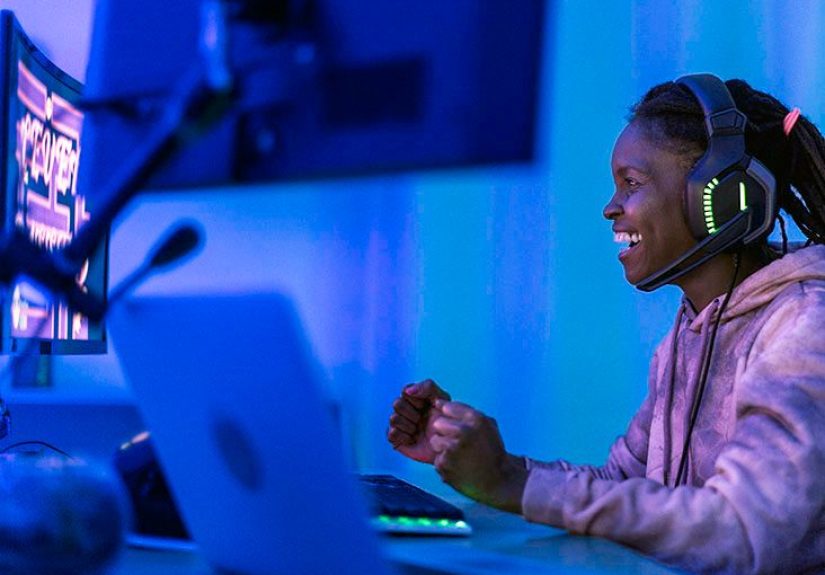
Gamers and designers often describe a different version of the problem. Their issue isn’t just screen time. It’s intense screen time. They may be hyper-focused, barely blinking, and reluctant to pause because they’re in the middle of something competitive or creative. For these people, the rule works best when paired with blinking reminders, artificial tears, and a setup that reduces glare. Otherwise, they take the break but go right back to the same dry-eye circus.
People who wear contact lenses also tend to notice the difference quickly. Long screen sessions can make lenses feel less comfortable, and the eyes may start feeling dry earlier in the day. Some find that using the 20-20-20 rule consistently, switching to glasses part of the day, or improving room humidity makes screen work much more tolerable. It’s often not one massive change; it’s three or four small changes working together.
And then there are the skeptics, which, honestly, is fair. A lot of wellness advice sounds like it was invented by someone with excellent posture and no deadlines. But even skeptics often admit that once they automate the habit with a timer, the rule becomes easy to follow. It fades into the background and quietly makes the day more comfortable. That may be the best kind of habit: not flashy, not complicated, just useful enough that you keep doing it.