Table of Contents >> Show >> Hide
- Way #1: Switch to “Ear-Reading” (Audiobooks + Text-to-Speech)
- Way #2: If You Need Visual Reading, Engineer a “Calm Page” Setup
- Way #3: Build a Motion-Sickness-Friendly Routine (Seat + Snacks + Strategy)
- Putting It All Together: A Simple “Choose Your Reading Mode” Flow
- of Real-World Reading-in-Transit Experiences
- Conclusion: Reading on the Move, Without the Regret
Reading on the move sounds like the ultimate life hack: turn “dead time” into “chapter time.”
Then the bus hits a pothole, your eyes lose their place, your stomach files a formal complaint,
and your bookmark becomes a tiny flag marking the exact moment you regretted everything.
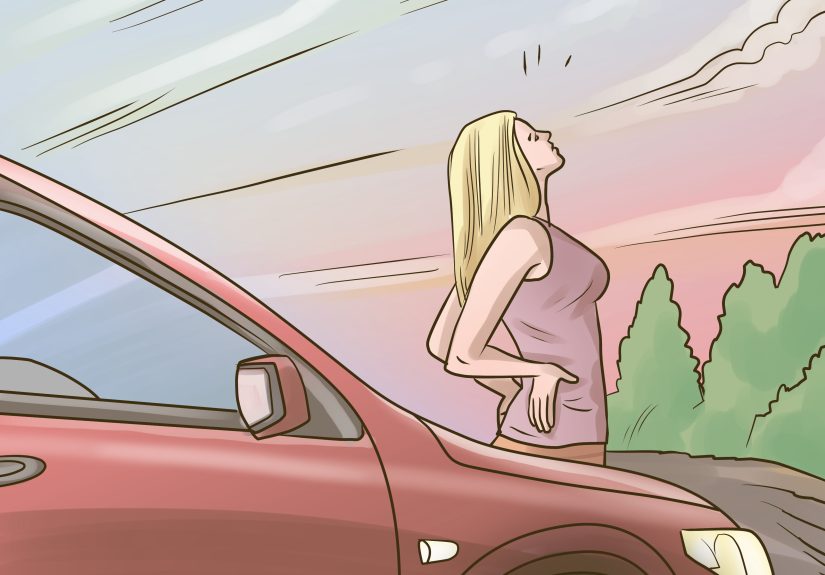
The problem isn’t that you’re “bad at reading in cars.” It’s biology plus physics plus whatever
road engineer designed that one stretch of highway. Motion sickness often shows up when your
eyes and your inner ear disagree about what’s happeningyour body feels motion, but your eyes
are locked on a still page. That sensory mismatch can turn a cozy paperback moment into a
sweaty, queasy situation fast.
The good news: you can absolutely read in a moving vehicleyou just need to pick a format
and setup that works with motion instead of fighting it. Below are three practical,
research-backed ways to keep your reading habit alive on road trips, commutes, trains, and
everything in between. (Important note: these tips are for passengers. If you’re the driver,
your only “reading” should be road signs.)
Way #1: Switch to “Ear-Reading” (Audiobooks + Text-to-Speech)
If your goal is to absorb stories and ideaswithout your stomach staging a rebellionaudio is
the most motion-friendly reading option. Audiobooks and text-to-speech let your eyes stay on
the outside world (or closed), which helps your brain align what you see with what you feel.
Why it works in a moving vehicle
-
Less sensory conflict: You aren’t staring at a fixed page while your body is moving,
which can reduce motion-triggered nausea. - More flexible posture: You can lean back, keep your head still, and relax your gaze.
-
Instantly adjustable: Speed up for nonfiction, slow down for dense scenes, rewind when the
bus announces a stop like it’s narrating an action movie.
Make audiobooks feel like “real reading”
Some people still treat audiobooks like reading’s less-academic cousin. Ignore that. Your brain is still
processing language, tracking plot, and building comprehensionyou’re just using your ears instead of
your eyeballs. If anything, audiobooks are reading’s clever multitasking sibling: same story, fewer
nausea breaks.
Best use cases
- Long road trips: Great for novels, memoirs, and narrative nonfiction.
- Public transit commutes: Perfect when you’re standing or getting jostled.
- Ride-shares: Less awkward than holding a hardcover like a shield.
Pro setup tips (so your ears don’t hate you later)
- Use noise-cancelling or well-fitting headphones: They can help you listen at lower volumes in loud environments.
-
Keep volume reasonable: If you have to crank it to “jet engine,” it’s too loudconsider switching to
noise-cancelling or one earbud (only if it’s safe for your environment). -
Try a “read-along” mode: Some apps highlight text while audio playsuseful when you’re on smoother rides (like trains)
and want to reinforce names, spelling, or vocabulary.
Quick example: You’re on a bumpy city bus and want to finish a history book. Put on the audiobook,
follow along with the chapter headings, and “bookmark” key moments with quick notes in your phone after the ride ends.
You’ll keep comprehension high without the mid-commute nausea.
Way #2: If You Need Visual Reading, Engineer a “Calm Page” Setup
Sometimes you really do need your eyes on wordsstudying, reviewing notes, reading charts, or
just because you love the feel of a page. When you visually read in a moving vehicle, your
mission is simple: reduce visual strain and reduce motion chaos. You can’t smooth the road,
but you can smooth the reading experience.
Start with the right “page”
-
Go e-ink when possible: E-readers with e-ink screens (instead of glossy tablets) often feel easier on the eyes,
especially for long sessions. - Increase font size and line spacing: Bigger text means fewer frantic eye movements to find your place after a bump.
-
Use a matte/anti-glare approach: Glare forces your eyes to work harderadjust brightness, angle your device,
and avoid direct reflections.
Control the lighting (your eyes aren’t solar powered)
Eye strain isn’t just a “work computer” issue. Reading on a phone in a car at noon, or on a tablet at night with the
screen blasting like a tiny stadium light, can fatigue your eyes fast. Aim for a comfortable brightness that matches
your surroundings. If you’re reading print at night, use a small reading light rather than forcing your eyes to
squint through dim cabin lighting.
Stabilize your body, not just your book
- Support your head: Rest it against the headrest to reduce bobbing and micro-motion.
- Brace your arms: Tuck elbows in, rest forearms on a bag, or hold your device with two hands close to your centerline.
- Face forward: Side-facing seats can intensify the “my inner ear is confused” feeling for some people.
Use the “20-20-20” style breakadapted for travel
Digital eye experts often recommend periodic breaks: look up and refocus at a distance. On the road, distance breaks do
double duty: they rest your eyes and give your brain motion-consistent visual cues. Try this travel-friendly rhythm:
every 10–20 minutes, look out the window for 20 seconds and let your gaze go far (horizon if you can).
A smart feature worth trying (optional)
Some phones include motion-reducing display features intended to help certain users feel more comfortable using screens in
vehicles. If you’re prone to carsickness when scrolling or reading, it may be worth exploring your device’s accessibility
settings for motion-related options. Results vary, but for some people it’s a noticeable improvement.
Quick example: You need to review a PDF on a train. Open it on an e-ink reader (or tablet with anti-glare),
set font/zoom so you’re not constantly panning, sit by a window facing forward, and take quick “distance looks” between pages.
You’ll stay oriented and keep the text readable without the headache.
Way #3: Build a Motion-Sickness-Friendly Routine (Seat + Snacks + Strategy)
Here’s the honest truth: if you’re highly motion-sensitive, the “best” way to read in a moving vehicle might be to read
less visually and lean harder on audio. But even if you’re prone to nausea, you can improve your odds with a simple routine.
Think of it as pre-reading preplike stretching before a workout, except the workout is “Chapter 12: The Plot Twist.”
Choose your seat like you’re picking a movie theater row
-
Go where motion feels smaller: Many travel-health sources suggest the front of buses/cars and window seats on trains/planes,
plus focusing on the horizon when possible. - Kids ride safely first: Children should be properly restrained in the back seat; don’t trade safety for a smoother reading spot.
Eat and drink like a person who doesn’t want to be nauseous
- Small, light snacks: Think crackers, toast, or something blandnot a greasy feast right before takeoff.
- Hydrate: Water helps; dehydration can make queasiness feel worse.
- Fresh air matters: Cool airflow (vent or cracked window) can help some people feel steadier.
Use the “Horizon Reset” when symptoms start
- Pause reading immediately. Yes, even if you’re one page from the big reveal.
- Look far away (out the window, toward the horizon if possible).
- Keep your head still against the seatback and breathe slowly for 30–60 seconds.
- Switch formats: If you still want content, move to audiobook for a while.
Medication and remedies: be smart, not heroic
Over-the-counter motion sickness medicines and certain remedies (like ginger candies) are commonly used, but they aren’t for
everyone. Some medications can cause drowsiness or interact with other meds. If motion sickness is frequent, severe, or
disruptive, it’s worth talking with a healthcare professional about the safest options for youespecially for kids.
Safety reminder (because this matters more than your reading streak)
- Drivers should not read. Ever. Not “quickly.” Not at stoplights. Not “just one paragraph.”
- Buckle up. Reading doesn’t replace seat belts, and seat belts don’t care how good the book is.
- Stay aware on public transit. Keep volume low enough to notice announcements and your surroundings.
Quick example: You get carsick when you read print, but you’ve got a two-hour trip. Sit facing forward, keep cool air flowing,
start with audio for 20 minutes, then try visual reading in short bursts with horizon resets. You’ll still make progress
without turning green.
Putting It All Together: A Simple “Choose Your Reading Mode” Flow
Use this quick logic the next time you’re tempted to crack a book on a winding road:
- If you get queasy easily: choose audiobooks/text-to-speech first.
- If the ride is smooth (train, steady highway): try visual reading with a calm-page setup and distance breaks.
- If you must study visually: do short intervals, sit forward-facing by a window, and use horizon resets early.
of Real-World Reading-in-Transit Experiences
Experience #1: The “I Can Totally Read in the Back Seat” Phase
Almost everyone has tried this at least once: you hop into the back seat with a brand-new book, feeling productive and
slightly superior to your past self who used to doomscroll. The first few minutes are great. Then the car merges, the
suspension does its best trampoline impression, and suddenly you’re rereading the same sentence like it’s written in code.
The weird part is that your brain isn’t failing youyour eyes are trying to focus on something close and still while your
body feels speed, turns, and tiny vibrations. If you’re motion-sensitive, that mismatch is exactly what flips the “nope”
switch. The moment you notice the early signswarm forehead, tiny wave of nausea, or that floating feelingstopping visual
reading quickly helps. People who learn this trick usually end up creating a personal rule: “Back seat equals audio.” Once
they make peace with audiobooks, road trips get better fast. You still finish booksyou just finish them without bargaining
with your stomach.
Experience #2: The Train Ride Sweet Spot
Trains are where visual reading can feel like a superpower. The motion is often steadier than cars, and when you snag a
window seat facing forward, your brain gets consistent outside cues. The best train-reading setups tend to look boring
(which is exactly why they work): a device with larger text, brightness matched to the cabin, elbows tucked in so the screen
doesn’t wobble, and a routine of looking up every few minutes as stops approach. A lot of commuters swear that the real
secret isn’t speed-readingit’s place-holding. They’ll use a finger on the page or a subtle highlight on e-books so a
little bump doesn’t erase their progress. The vibe becomes: read a few pages, glance outside, read a few more, breathe.
It’s oddly calming. And the best part? When you arrive, you feel like you actually did something with your time, not like
you just got transported in a metal tube while staring into space.
Experience #3: The “Hybrid Reader” Road Trip Strategy
On long trips, many people end up building a hybrid routine without even realizing it. Audio handles the wiggly parts:
city streets, winding roads, heavy traffic, or that stretch of highway that’s basically a pothole museum. Visual reading
becomes a “bonus mode” reserved for smoother segmentsstraight highways, calmer drivers, or moments when the car is parked
and everyone’s waiting for snacks. The hybrid approach also solves a real attention problem: sometimes your brain wants a
voice to guide it (audiobook), and sometimes you want to slow down and see the words (visual). Switching formats keeps
fatigue lower. People who do this well usually plan ahead: they download both the audio and the e-book, keep a light snack
in reach, and treat breaks as part of the reading plan, not an interruption. The result is surprisingly sustainableby the
end of the trip, they’ve made serious progress in a book, and nobody had to announce, “We should pull over… again.”
Conclusion: Reading on the Move, Without the Regret
Learning how to read in a moving vehicle isn’t about toughnessit’s about choosing the right format and setup for your body.
If your stomach is dramatic, let audio do the heavy lifting. If you need visual reading, build a calm-page environment:
bigger text, less glare, stable posture, and regular distance breaks. And if motion sickness is a frequent visitor, a simple
seat-and-strategy routine can help you stay comfortable (and keep your lunch where it belongs).
Your next chapter doesn’t have to wait until you get home. It just needs a smarter ride plan.