Table of Contents >> Show >> Hide
- What a Family Command Center Is (and Why It Works)
- Choose the Right Location: Your Home’s “Base of Operations”
- The Essential Modules: Build Your Command Center Like a Starship Console
- Module 1: The Master Calendar (the “Hyperspace Nav”)
- Module 2: The Inbox + Outbox (mail that doesn’t become a saga)
- Module 3: Keys + Grab-and-Go Hooks (the “docking bay”)
- Module 4: Charging Station (because everything needs power)
- Module 5: School + Work Paper Control (folders beat panic)
- Module 6: Family Tasks + Chores (your “mission board”)
- Module 7: The Mini Supply Dock
- Give It the Star Wars Treatment Without Making It a Theme Park Gift Shop
- Step-by-Step: How to Build Your Star Wars Family Command Center
- Make It Kid-Proof (and Adult-Proof)
- Analog vs Digital: Should Your Command Center Include Tech?
- Common Mistakes (and How to Avoid Them Like a Pro Pilot)
- Budget-Friendly Build Ideas (Because Not Everyone Has Death Star Funding)
- Conclusion: Your Home, but With Better Odds
- Field Notes: of Real-Life Command Deck Moments
Somewhere in your home, there’s a mysterious place where loose permission slips go to retire, where one sock from every pair quietly disappears, and where your calendar lives its best life as an “idea” rather than a “system.”
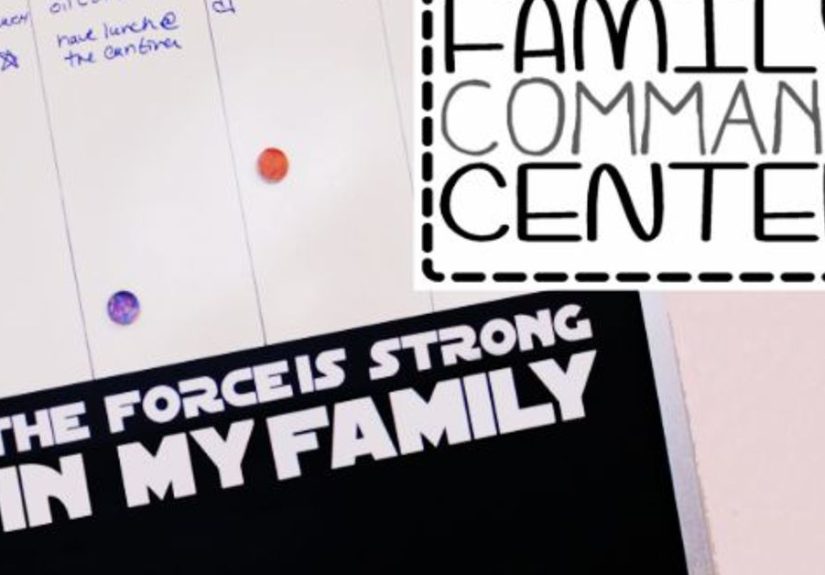
Congratulations: you’ve discovered the perfect location for a Star Wars Family Command Centera centralized, good-looking, actually-used hub that turns everyday chaos into something closer to a coordinated mission briefing. Think less “scramble the X-wings,” more “everyone knows what’s happening and where the car keys are.”
This article will show you how to build a home command center that’s equal parts practical and delightfully nerdy: calendars that don’t get ignored, chore systems that don’t start family negotiations, a mail flow that doesn’t become a paper mountain, and a design that feels like it belongs on a Rebel base (or an Imperial corridorno judgment).
What a Family Command Center Is (and Why It Works)
It’s the “one place to look” rule
A family command center is a designated spot where your household’s most important information and daily tools live together: schedules, school notes, to-do lists, incoming papers, keys, and the little stuff that normally multiplies across countertops. The magic isn’t fancy hardwareit’s the simple rule that everyone agrees on: if it matters, it goes here.
It reduces decision fatigue
When your family doesn’t have to ask “Where is the thing?” (or worse, “What are we doing today?”), your mornings get smoother. Less arguing. Less scrambling. Fewer surprise bake-sale emergencies at 9:12 a.m. You can’t eliminate life’s chaos, but you can stop giving it free real estate.
Choose the Right Location: Your Home’s “Base of Operations”
The best spot is boringand that’s a compliment
Your command center should be in a high-traffic area where humans naturally pause: near the main entry, beside the kitchen, next to the fridge, or along the route between backpacks and snacks. If you hide it too well, it becomes decor. If you place it where life happens, it becomes a habit.
Wall, closet door, or “tiny slice of vertical space”
Don’t have a blank wall? No problem. A narrow strip beside cabinetry, the side of a pantry, a closet door, or a corner can still host a functional setup. Vertical space is the unsung hero of organizationthe Force is strong with walls.
The Essential Modules: Build Your Command Center Like a Starship Console
Before you pick a theme or slap a starbird on anything, decide what your family truly needs. A great command center is custom, not copy-pasted. Below are the core “modules” that cover most households. Choose what fits, skip what doesn’t.
Module 1: The Master Calendar (the “Hyperspace Nav”)
This is the heart of your system. Go with a monthly calendar plus a weekly section if your schedule is packed. Color-coding works if your crew will actually maintain it (start simple: 2–4 colors max). If you do sports, multiple schools, or rotating shifts, add a “next 7 days” view so nobody is decoding the month like it’s ancient Jedi text.
Module 2: The Inbox + Outbox (mail that doesn’t become a saga)
Mail needs a single landing zone. Add two slots: IN for new mail and papers, OUT for things leaving the house (returns, library books, signed forms). The key is a weekly purge rhythm. If you don’t schedule a paper reset, paper will schedule one for youusually right before bedtime.
Module 3: Keys + Grab-and-Go Hooks (the “docking bay”)
Hooks prevent the classic “Who took my keys?” trilogy from getting a fourth installment. Add a hook for each regular set of keys, plus one for dog leashes, lanyards, or small bags. If you have a tiny entryway, wall hooks are the smartest space upgrade you can make.
Module 4: Charging Station (because everything needs power)
Phones, tablets, earbuds, watchesyour family is basically a fleet of rechargeable droids. Add a charging shelf or basket with labeled cords. If you can, route cables neatly and keep backups. (Nothing sparks rebellion faster than “My charger is missing” at 6:58 a.m.)
Module 5: School + Work Paper Control (folders beat panic)
Use labeled folders or bins for: School, Work, Bills, To Sign, To File. If you have kids, give each one a personal slot. This prevents “important paper archaeology” at the bottom of a backpack.
Module 6: Family Tasks + Chores (your “mission board”)
Keep chores visible, but not overwhelming. A simple checklist works better than a complicated spreadsheet nobody updates. You can use a weekly “must-do” list plus one rotating task per person. Bonus: add a “done” box. Humans love checking boxes almost as much as Jedi love dramatic hooded entrances.
Module 7: The Mini Supply Dock
Stock the essentials right on the station: pens, dry-erase markers, a small notepad, scissors, a few binder clips, tape, and maybe stamps. If supplies are elsewhere, people will improvise. Improvisation is how you end up using a butter knife as a “temporary screwdriver.”
Give It the Star Wars Treatment Without Making It a Theme Park Gift Shop
Pick a faction style: Rebel, Imperial, or “Neutral Smuggler”
The easiest way to keep it tasteful is to choose a vibe:
- Rebel Base: warm neutrals, worn textures, cork + kraft paper + brass accents, starbird highlights.
- Imperial Control Room: black/white/gray, clean lines, magnetic boards, sharp labels, minimalist “order.”
- Smuggler Chic: mismatched bins, rugged wood, a little chaos… but with rules. (Han would approve.)
Use symbols sparinglybut strategically
Star Wars iconography is powerful. One emblem can communicate the theme without turning your hallway into a cosplay convention. Add a small Rebel insignia on the calendar header, an Imperial “sector map” feel on the weekly board, or a subtle Aurebesh label strip. A few touches read as intentional; too many read as “a child discovered stickers.”
Aurebesh labels: the easiest “wow” detail
Label your bins in English and Aurebesh for a playful Easter egg: “INBOX / INBOKS” (close enough), “OUTBOX,” “BILLS,” “HOMEWORK,” “MISSIONS.” Keep it readable. The goal is fun organization, not decoding homework assignments like you’re in a hidden temple.
Step-by-Step: How to Build Your Star Wars Family Command Center
Step 1: Audit your clutter like a Jedi mind trick (but real)
Don’t clean first. Take a quick snapshot of what piles up where: papers, keys, cords, backpacks, random notes. Your command center should solve those specific pain points. If the mess never includes mail, don’t build a mail cathedral.
Step 2: Choose your base system
You have three solid build paths:
- Magnetic + dry-erase wall: sleek, fast to update, great for schedules and lists.
- Pegboard system: endlessly reconfigurable and perfect for combining bins, hooks, shelves, and clips.
- Board combo: a calendar board + corkboard + file sorter + hooks (classic and reliable).
Step 3: Install with minimal wall drama
If you rent, hate patching holes, or simply enjoy the idea of “damage-free” living, consider removable mounting solutions for light items. Use appropriate weight ratings and follow directions like your security deposit depends on it (because it does). Heavier shelves should be anchored properlythis is a command center, not a falling-object simulator.
Step 4: Create zones and give them names people will repeat
Humans follow labels better than lectures. Define zones with clear headers: Today, This Week, Paper, Keys, Charge, To Do. Then add your Star Wars flavor: “Briefing,” “Launch Pad,” “Docking Bay,” “Supply Crate,” “Bounty Board.” If your family uses the words, they’ll use the system.
Step 5: Add the “one-minute friction reducers”
These tiny upgrades make the whole thing stick:
- A pen/marker cup attached to the station (no marker = no updates).
- A small trash/recycle spot for junk mail (paper exits immediately).
- A basket labeled “Return to Owner” for mystery items.
- A weekly reset reminder: a recurring note that says “FRIDAY: PAPER PURGE.”
Make It Kid-Proof (and Adult-Proof)
Gamify chores without turning life into a negotiation
Want buy-in? Create “missions” with small rewards: “Clear the Docking Bay” (put away shoes), “Refuel the Droids” (plug in devices), “Secure the Cargo” (empty lunchboxes). Keep rewards simple: extra screen time, choose dessert, pick the next movie night. If the system is complicated, it will collapse faster than a flimsy Senate.
Use visuals for fast scanning
Icons help: a tiny backpack symbol for school items, a lightning bolt for charging, an envelope for paper. You can keep the look clean while still making the station instantly understandable to kids (and to adults before coffee).
Analog vs Digital: Should Your Command Center Include Tech?
A physical board is unbeatable for visibility: you can’t “swipe away” a whiteboard. But you can pair it with digital tools if your household runs on phones and calendar apps.
The hybrid approach that actually works
- Physical: weekly view, chores, paper flow, keys, charging.
- Digital: appointments, reminders, shared calendars, alerts.
The rule: the command center is the front pagethe digital calendar is the database. If everything is digital, not everyone sees it. If everything is physical, updates can lag. Together, you get clarity and accuracy.
Common Mistakes (and How to Avoid Them Like a Pro Pilot)
Mistake 1: Making it pretty but not usable
If you need to move decor to write on your board, you won’t write on your board. Beauty mattersbut function wins. Keep writing tools attached and surfaces easy to update.
Mistake 2: Too many categories
When everything has a bin, nothing has a home. Start with the essentials and add only when a real problem appears. Your goal is “less thinking,” not “more sorting.”
Mistake 3: No reset ritual
A command center without a weekly reset becomes a museum of old reminders. Pick one dayFriday afternoon, Sunday night, whatever fitsand do a 10-minute sweep: recycle junk, file papers, update the week, refill supplies.
Budget-Friendly Build Ideas (Because Not Everyone Has Death Star Funding)
- Clipboards as “mission panels”: hang 3–5 clipboards for forms, schedules, and lists.
- Thrifted frame + dry-erase surface: a big frame can become a sleek whiteboard with the right setup.
- Pegboard starter kit: begin with a board + a few hooks and containers; expand over time.
- Binder clips and labels: cheap, flexible, surprisingly powerful for taming papers and cords.
Conclusion: Your Home, but With Better Odds
A Star Wars Family Command Center isn’t about perfectionit’s about making the important stuff easy. You’re building a visible, shared system that reduces friction: fewer lost papers, fewer frantic mornings, fewer “I didn’t know!” arguments.
And when you add just enough Star Wars flairsymbols, labels, a mission board vibeyou turn organization into something your family actually likes using. Because it’s not just a wall of lists. It’s your household’s base of operations. May your schedules be clear, your keys be findable, and your junk mail be vanquished.
Field Notes: of Real-Life Command Deck Moments
Let’s talk about what it feels like when this thing worksbecause “organization” can sound like a brochure until you live it. Imagine a Monday morning where the kitchen isn’t a crime scene of lunch bags, permission slips, and a single sneaker that’s somehow not yours but also definitely lives in your house now.
You walk past the command center and it’s doing that quiet, heroic job it was designed for. The weekly board says: “Soccer Tue/Thu, dentist Wed 4:30, library books OUT Friday.” There’s a bright little “Launch Pad” hook where backpacks hang. Nobody’s asking where anything is. Nobody’s doing the frantic countertop pat-down like they lost a contact lens and their dignity.
The paper flow is the biggest difference. Mail goes into IN, immediately. The “To Sign” folder means you’re not discovering a field trip form two hours after the bus left. And when a kid says, “I told you about that,” you can just point to the station like a calm Jedi and reply, “If it’s not on the board, it’s not canon.” (Say it kindly. Or at least say it with snacks.)
Then there’s the charging zone, a.k.a. the place where earbuds stop teleporting into the void. Each cord is labeled. Each device has a home. You don’t have to run a household-wide search party for a charger at bedtime. Your family starts to trust the system because the system keeps its promises. That’s the real trick: reliability creates participation.
The Star Wars theme is what makes it fun enough to maintain. “Mission Board” is more motivating than “Chores.” “Docking Bay” is more memorable than “Hooks.” Even adults smile at Aurebesh labelsespecially when guests notice and you get to say, casually, “Oh, yeah, the OUTBOX is labeled in Galactic Basic. Obviously.”
And here’s the secret moment nobody sells you: the weekly reset. Ten minutes. That’s it. You toss junk mail, wipe the board, update the week, and put the markers back. It’s a tiny ritual that prevents the slow creep of chaos. You’re not “getting organized” every week. You’re keeping the ship flying.
Over time, the command center becomes a household language. “Check the briefing.” “Your mission is on the board.” “Keys are in the docking bay.” It turns friction into flow. Not every day is smoothbut when things get hectic, you’ve got a home base. And that’s the difference between “we’re barely surviving” and “we’re running a respectable little rebellion.”