Table of Contents >> Show >> Hide
- Quick Navigation
- What “Ocean World” Actually Means
- Choose Your Ocean World Setup
- Prep Like a Responsible Aquanaut
- Pick a Great Building Site
- Build the Underwater City (Without Losing Your Mind)
- Conduits: The Underwater Superpower
- Make It Feel Like a Real Ocean World
- Ocean Utilities & Quality-of-Life Builds
- Ocean World Builder’s Log: Lessons From the Deep (500+ Words)
- Wrap-Up + SEO
Want a Minecraft world where the land is optional, the fish have better skin care than you do, and your biggest neighbor problem is a squid judging your architecture?
Welcome to ocean living. This guide shows you how to create an “ocean world” (from world settings to underwater megabuilds), then turn it into a place that feels alive:
reefs, domes, kelp forests, bubble elevators, and a conduit-powered city that doesn’t look like a sad glass shoebox.
What “Ocean World” Actually Means
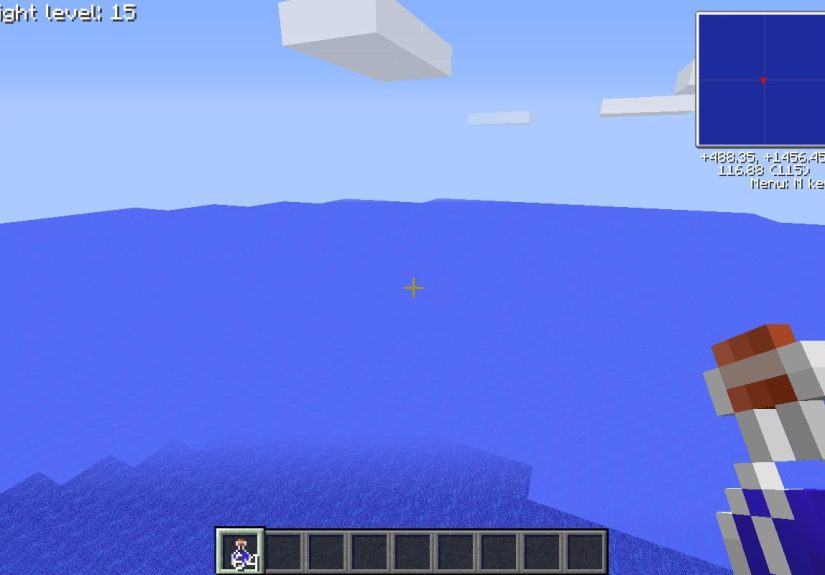
“Ocean world” can mean three different things in Minecraft, and choosing the right one saves a lot of saltwater tears:
- Ocean-First World: You spawn in a normal world but intentionally live in the ocean biome and build underwater (most fun, most flexible).
- Mostly-Ocean Generation: You use a preset or settings so your world is heavily water-based from the start (great for roleplay/challenges).
- Custom Ocean Map: You sculpt the environment in Creative (or with commands/mods) into a full-on ocean planet (best for cinematic builds).
This article covers all three, but focuses on the survival-friendly version: living, building, and thriving underwater with smart mechanics and good design.
Choose Your Ocean World Setup
Option A: The Simple Way Pick a Seed and Move Offshore
If you want the least friction and the most “Minecraft-y” experience, create a normal world and commit to ocean life early:
grab a boat, sail until you find a massive ocean stretch, and make that your home base.
This route keeps all dimensions and progression intact (villages, Nether, End, structures) while still letting you build a full underwater empire.
Your ocean world becomes a choice, not a limitation.
Option B: Flat/Single-Biome Presets (Great for Challenges)
Want a world that starts watery on purpose? Depending on your edition, you can try:
- Superflat “Water World” preset (Java): A superflat preset that generates a water-filled world. Good for “no land” survival challenges.
- Flat World “Water World” preset (Bedrock): Bedrock has flat world presets that include Water World.
- Single Biome / Buffet-style generation (Java): You can generate the Overworld as a single biome. Note: single-biome “ocean” can behave oddly depending on version/settings, so test first.
Practical tip: If your goal is an ocean build series, this is perfect. If your goal is a long survival world with everything available,
Option A is usually the better balance.
Option C: Creative “Ocean Planet” (Maximum Control)
If you’re building for content, screenshots, or a server hub: go Creative and sculpt.
You can flood a region, create custom reefs, and place structures like shipwreck museums and ocean ruins as set pieces.
Think “aquarium diorama,” but the aquarium is the size of your ego after you finish the build.
Prep Like a Responsible Aquanaut
Underwater building is 10% creativity and 90% not drowning while holding your breath like a stressed-out turtle.
Before you place your first block, set yourself up with a few essentials.
Breathing & Vision: Your Two Biggest Problems
-
Water Breathing Potions: Your early-game best friend for long dives. Brew them once you have Nether Wart and a pufferfish.
Extend duration with redstone dust so you can build instead of panic-swimming. - Respiration Helmet + Aqua Affinity: Respiration stretches your air time; Aqua Affinity makes mining underwater less miserable.
-
Doors/Air Pockets: In some editions/versions, doors can create temporary air pockets. Don’t build your entire plan around this trick.
It’s best treated as a “nice surprise,” not life support. -
Bubble Columns: These are legit, consistent, and incredibly useful. Soul sand makes an upward elevator, magma makes a downward current.
Bonus: bubble columns refill your air fast.
Movement: Stop Swimming Like a Brick
- Depth Strider boots reduce the underwater slowness that makes you feel like you’re wading through oatmeal.
- Dolphin’s Grace (swimming near dolphins) can make you zoom, especially for scouting and transport lanes.
- Riptide Trident is a travel cheat code in rainy weather or waterperfect for ocean worlds.
Lighting: Make It Bright Without Looking Like a Parking Lot
Underwater builds look best when you mix light sources:
sea lanterns for clean modern vibes, sea pickles for organic reef lighting, and carefully placed hidden lights under slabs or inside coral gardens.
Pick a Great Building Site
Location is everything. You can build an underwater city anywhere, but the right biome makes it feel like an actual ocean world instead of a bathtub.
Best Ocean Biomes for an Ocean World
-
Warm Ocean: Coral reefs, bright water color, and tons of sea pickles and tropical fish. Perfect for vibrant “Atlantis” aesthetics.
(Note: warm oceans often lack natural kelpbring your own if you want kelp forests.) - Deep Ocean: Dramatic depth, darker tones, and better “abyss base” vibes. Great for monument hunting and moody builds.
- Frozen Ocean: Icebergs and a totally different paletteawesome for “arctic research station” builds.
Two Pro Site-Selection Rules
- Build near resources you’ll use constantly: sand (glass), stone (build palette), and a nearby landmass for wood and farming.
- Find a “feature anchor”: a coral reef, a ravine, a shipwreck cluster, or an ocean monument. Your city will feel more believable when it grows around something.
Build the Underwater City (Without Losing Your Mind)
The secret to underwater building is to stop thinking “one giant dome” and start thinking “districts.”
Smaller connected areas are easier to drain, easier to decorate, and look more like a lived-in ocean world.
Step-by-Step: A Survival-Friendly Underwater Base Blueprint
-
Start with a starter pod: a small glass room or tube with a bed, chest, crafting table, and furnace.
Keep it simplethis is your underwater “airlock,” not your final masterpiece. -
Lay down a foundation ring: build a circle/rectangle on the seafloor using prismarine, stone, deepslate, or concrete.
This outlines your district and keeps your shapes clean. - Build the shell first: walls and roof first, then worry about draining and interiors. Underwater construction is easier when the outline is done.
-
Drain smart: use sponges once you have them. Before sponges, use temporary filler blocks (sand/gravel) to displace water in large volumes,
then hollow out the interior. - Add tunnels: connect pods with glass tubes or trench corridors. Tunnels are your “streets,” and they make the whole build read as a city.
The Sponge Method: Your Best Friend for Draining
Sponges are the “I’m done fighting water physics” button. Here’s the practical way to use them:
- Place sponges along one wall/edge of the space you’re draining, working in strips.
- When they become wet, pick them up and dry them (furnace drying works; the Nether dries them instantly when placed).
-
For huge rooms: divide the interior with temporary walls (any cheap block) to create smaller “drainable” chambers.
Drain one chamber at a time. Your sanity will thank you.
Waterlogging: Build Underwater Without Fighting the Ocean
Waterlogging lets you place certain blocks while keeping water in the same space. This is huge for:
decorative stairs/slabs, fancy railings, and “open” structures that still feel submerged.
Use waterlogging intentionally to create submerged courtyards, kelp gardens, and aquarium-style hallways.
Conduits: The Underwater Superpower
If your ocean world has a “main character upgrade,” it’s the conduit. Think of it as a beacon designed specifically for underwater living:
breathable, brighter, faster mining, and generally less “I’m drowning while holding a shovel.”
What You Need to Craft a Conduit
- 1 Heart of the Sea (from buried treasure)
- 8 Nautilus Shells (often from drowned drops or fishing/loot, depending on your grind preference)
Hearts of the Sea come from buried treasure chestsusually located using buried treasure maps found in shipwrecks and ocean ruins.
Dolphins can also lead you toward nearby treasure-related structures if you feed them fish.
How to Activate a Conduit (The Part Everyone Messes Up Once)
A conduit needs:
-
A 3×3×3 volume of water (source/flowing/waterlogged can work, but source blocks make life easier),
with the conduit in the center. -
An activation frame made from prismarine variants and/or sea lanterns.
The smallest working frame uses 16 blocks and gives a smaller range; a full frame uses 42 blocks and gives maximum range.
Placement Strategy: Conduit “District Coverage”
Don’t put your conduit “where it looks cool” and then realize your farms are out of range.
Instead:
- Put one conduit in the center of your main build district (living + storage + crafting).
- Add a second conduit later for your “industrial zone” (farms, guardian farm platforms, kelp processing).
- If you’re building an entire underwater city, treat conduits like streetlights: consistent spacing makes everything feel intentional.
Make It Feel Like a Real Ocean World
This is where most underwater bases either become legendary… or become a glass cube with a bed and emotional damage.
The goal: build an ecosystem, not a box.
Reefs, Gardens, and “Living” Streets
-
Coral Reefs: Warm ocean reefs are the easiest path to color.
Coral blocks and fans create instant lifejust keep them submerged or they’ll turn dead. -
Sea Pickle Lighting: Sea pickles are natural, warm lighting and can be grown/spread with bone meal on living coral.
Use them to line paths, highlight entrances, and give your city a soft glow. - Kelp Forests: Plant kelp in rows with varied heights for that “nature reclaimed the ruins” look.
- Seagrass + Sand Gradients: Mix sand, gravel, and a little stone/deepslate to create believable seafloor transitions.
Build Themes That Look Incredible Underwater
- Atlantis District: prismarine, sea lanterns, gold accents, grand arches, and a central conduit “temple.”
- Research Station: white concrete, glass tubes, labeled storage, map wall, and a dock for boats/submarine builds.
- Shipwreck Museum: collect wreck pieces, build a dry “exhibit hall,” and make plaques using signs and item frames.
- Abyssal Outpost: deep ocean, dark palette, narrow lights, bubble elevators, and dramatic cliffside tunnels.
Use Natural Structures as Storytelling
Ocean ruins, shipwrecks, bubble columns, and monuments aren’t just loot spotsthey’re free worldbuilding.
Build around them:
make an “archaeology site” near ruins, or a guarded perimeter around a monument like it’s a forbidden temple.
Ocean Utilities & Quality-of-Life Builds
Bubble Elevators (Up and Down Lanes)
Every ocean world needs vertical transit. A clean setup looks like this:
- Up elevator: soul sand at the bottom + full column of water source blocks.
- Down elevator: magma block at the bottom + full column of water source blocks.
- Pro trick: if your water column is “flowing,” grow kelp through it to convert blocks into source water, then remove the kelp.
Kelp Utility: Food, Fuel, and Aesthetic
Kelp is the ocean world multi-tool:
it’s easy to farm, can be cooked into dried kelp, and the blocks are compact fuel and storage-friendly.
Even if you don’t care about kelp as food, a kelp farm is basically an underwater “utility plant.”
Monument Runs: Prismarine, Sea Lanterns, and Sponges
Ocean monuments aren’t just scary geometrythey’re the supply depot for ocean worlds.
Prismarine and sea lanterns are your core palette, and sponges make large-scale underwater construction practical.
Some monuments generate sponge rooms, some don’tso consider scouting multiple monuments if you need a lot of sponges.
Safety & Performance Tips
- Light your exterior: drowned love dark corners the way cats love knocking things off shelves.
- Use walls and gates: build perimeter fences and “harbor gates” so your city has boundaries and feels planned.
- Chunk-aware builds: massive redstone farms underwater can get laggy; spread utilities out and keep the visual core clean.
Ocean World Builder’s Log: Lessons From the Deep (500+ Words)
Ocean worlds teach you things regular Minecraft bases never willmainly because water is the most passive-aggressive “block” in the game.
Here are the experiences and patterns builders consistently run into (and how to turn them into wins).
First, the “glass dome illusion”. Almost everyone starts with a giant dome because it looks amazing on paper:
one sweeping sphere, a city inside, cinematic vibes. Then reality hits: draining it takes forever, lighting is awkward,
and the interior feels like you live inside a snow globe that someone shook in slow motion. The fix is simple:
build district pods and connect them with tunnels. You still get the wow-factor, but each section is manageable,
and you can expand naturallylike an underwater neighborhood instead of one giant fishbowl.
Second, the “I can totally do this without a conduit” phase. You can, technically, build huge underwater projects with potions,
enchantments, and bubble columns. But it’s like deciding to move houses using only your pockets: possible, heroic, and deeply unnecessary.
Once you unlock a conduit and place it correctly, your whole workflow changes. Mining becomes faster, oxygen stops being a constant timer,
and suddenly you’re designing instead of surviving. Builders often report that their ocean world “starts” the moment the conduit goes online.
Third, sponges are not optional if you’re going big. The first time you drain a room with sponges, you’ll feel like you just invented
electricity. The second time, you’ll be annoyed you ever did it any other way. The “real” lesson isn’t just “get sponges”:
it’s “design rooms so they’re sponge-friendly.” Temporary partition walls are boring, but they’re the difference between draining a space in 10 minutes
and draining a space in one long existential crisis.
Fourth, ocean worlds reward organic detailing more than almost any other theme. A standard base can look good with clean symmetry,
but underwater builds shine when you introduce gentle chaos: kelp at different heights, coral clusters that spill into pathways,
sea pickles lighting corners like tiny underwater street lamps, and sand/gravel gradients that mimic real seafloor movement.
Builders who “let the ocean into the build” end up with worlds that feel alive instead of sterile.
Fifth, you’ll learn to respect vertical travel. On land, stairs and scaffolding are fine. In an ocean world,
vertical travel is a lifestyle. The best ocean cities treat bubble elevators like subway lines: clearly marked up/down lanes, safe entry points,
and landings that connect to major districts. Once you’ve used a clean bubble elevator network for a while, going back to ladders feels like
sending a fax from a submarine.
Finally, the biggest “experience” takeaway is that an ocean world is less about living underwater and more about building a story.
A shipwreck museum suggests history. A monument perimeter suggests danger. A coral garden suggests care and continuity. Even your conduit frame can be
part of the narrativea “temple of the sea” at the city center. If you treat your build like a world instead of a base,
you’ll keep finding reasons to expand it long after you’ve “finished” survival progression.
Wrap-Up + SEO
Making an ocean world in Minecraft is basically the ultimate upgrade from “house by the water” to “civilization under the water.”
Start with the right setup (seed or preset), build in districts, use sponges and bubble columns to control the environment,
and unlock conduits to turn underwater living from stressful to smooth. Then decorate like you’re building an ecosystem, not a box:
coral, sea pickles, kelp forests, and story-driven landmarks will make your ocean world feel unforgettable.